Connect to GitHub
Use the FlowDeploy GitHub app to deploy your custom pipelines.
Connecting private pipelines using the FlowDeploy GitHub app
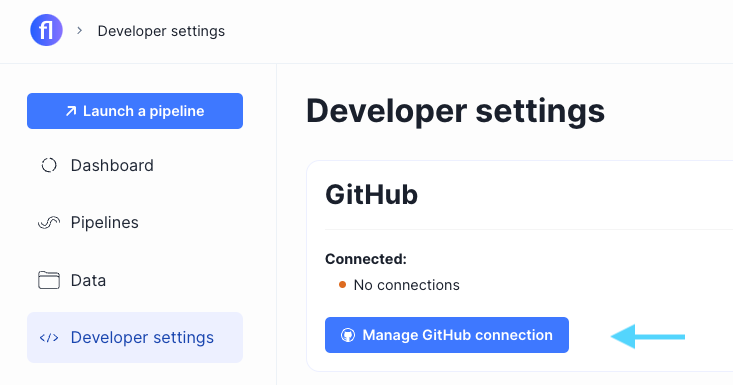
- Go to Developer Settings in the FlowDeploy app.
- Open "Manage GitHub Connection"
- Grant the FlowDeploy app to the desired organization and repositories
- You'll now see a connected indicator with the connected organization

- FlowDeploy automatically imports supported pipelines
That's it! You can launch imported pipelines immediately through FlowDeploy, either through the app or API.
If a pipeline doesn't automatically import
First, make sure the FlowDeploy GitHub app has access to the repository. If it does but it wasn't automatically recognized, you can manually import the pipeline.
Adding repositories manually
You can manually add repositories that:
- are public repositories
- are private repositories you've granted access through the FlowDeploy app
- Go to Pipelines
- Select "Import pipelines" > "GitHub URL"
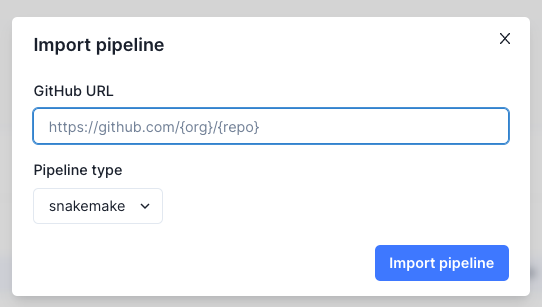
- Copy and paste the GitHub URL of the repository, select the pipeline type, and import the pipeline.